Notebook in → PDF out
Your notebook, laid out like a report
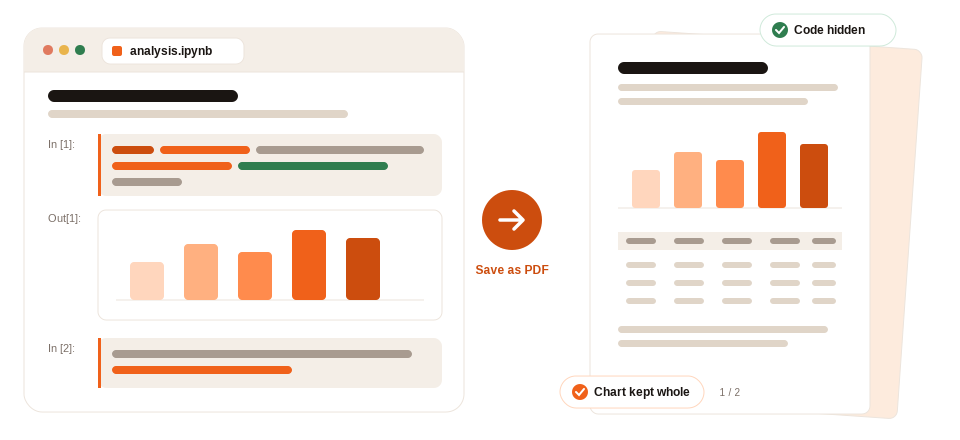
Markdown, code, outputs, charts and formulas become clean A4 or Letter pages.
Free · runs 100% in your browser
Convert Jupyter and Google Colab notebooks to clean PDFs right in your browser. Code wraps, tables fit, charts stay whole.
Drop your .ipynb file here
or
Read on this device — never uploaded
In the print dialog choose Save as PDF and switch off Headers and footers for a clean report.
Works with .ipynb files from
Quick answer
Convert an .ipynb file to PDF by dropping the notebook on the converter above, choosing what to hide, and clicking Save as PDF. Nothing is uploaded: the file is read and laid out inside your browser tab, and your browser's own print dialog writes the PDF.
No Python, no LaTeX, no Pandoc, no nbconvert and no account. If you only need to read the notebook, the IPYNB viewer opens it in the browser without printing at all.
Print-ready
Everything that usually breaks in a notebook PDF, handled before the print dialog opens.
Markdown, code, outputs, charts and formulas become clean A4 or Letter pages.
Hand in charts and tables only.
Every character of a long pipeline stays on the page.
No more columns falling off the right edge.
3 steps
Under a minute, from Colab or Jupyter to a file you can hand in.
In Colab: File → Download → Download .ipynb. JupyterLab and VS Code: right-click → Download.
Drop the file on the converter and tick Hide code or Hide outputs if you need to.
Click Save as PDF, pick Save as PDF in the print dialog and turn off headers and footers.
The format
An .ipynb file is the JSON notebook format used by Jupyter Notebook, JupyterLab, VS Code, Kaggle, and Google Colab. Instead of saving plain source code alone, it stores Markdown headings, LaTeX equations, code cells, execution outputs, DataFrames, and inline charts inside a single structured file so every part of an analysis stays together.
Converting a Jupyter Notebook to PDF bridges the gap between interactive coding and everyday sharing. Professors, clients, and non-technical teammates rarely have Python or Jupyter installed, and double-clicking an .ipynb file on a desktop only shows raw JSON brackets. Cloud links can also go stale, require sign-in, or fail to render large embedded figures.
By turning a Colab notebook or local Jupyter file into a fixed-page PDF, you freeze the exact layout for graded assignments, client deliverables, and long-term archiving. Long lines wrap instead of clipping, wide tables scale to fit paper margins, and charts stay intact on every screen and printer.
Compare
Every step runs in your browser: the notebook is read with the FileReader API and printed through your system's Save as PDF, so nothing reaches a server. Works with nbformat 4 and 3 notebooks from Colab, JupyterLab, VS Code, Kaggle and Deepnote. New to the format? Read how to open an .ipynb file, or see the Privacy Policy.
Something rendered wrong? Email contact@ipynbhub.com.
No. Your browser reads the .ipynb file locally with the FileReader API and builds the preview inside your current tab. No file is uploaded and no external API is called — you can confirm it in Developer Tools → Network.
Load your .ipynb file (or the sample), choose what to hide, and click Save as PDF. In the print dialog select Save as PDF (or Microsoft Print to PDF on Windows) and save.
nbconvert needs Pandoc and a multi-gigabyte TeX Live install and often fails with xelatex not found. Printing straight from Colab or Jupyter tends to clip long lines, cut wide tables and split charts. This converter fixes those before printing.
Yes. Tick Hide code to print only text, tables, outputs and charts. Hide outputs keeps only the code, and Hide In [n] removes execution labels.
Yes. $...$ and $$...$$ math is typeset with KaTeX, wide tables are scaled to the page width, and text uses your system fonts, so Chinese, Japanese and Korean print correctly.
.ipynb notebooks in nbformat 4 and 3, from Google Colab, JupyterLab, Jupyter Notebook, VS Code, Kaggle and Deepnote. Plain .py and .html files are not notebooks.
Yes. There is no account, no credit card and no watermark, and no payment step anywhere in the flow. The conversion runs inside your browser tab, so there is nothing to meter and nothing to upsell at download time.
No sign-up is required. Open the page, drop the .ipynb file and print — no email, no password and no verification step. Nothing is stored on our side, so there is no account history to keep.
There is no daily limit and no conversion counter, because each conversion happens on your own device rather than on our server. One notebook is converted per run; for several files, repeat the three steps or loop nbconvert if you prefer the command line.
Yes — the converter runs in mobile Safari and Chrome. On iPhone or iPad, pick the file from the Files app, then use the print sheet and pinch out on the preview (or Share → Save to Files) to store the PDF. Very wide tables are still easier to check on a desktop screen.
Not yet — one notebook per run, and no ZIP download. Most people convert a few files one after another; if you need to export a whole folder, nbconvert --to pdf or a short script is still the batch route.
Yes. The PDF comes from your browser's print engine rendering real HTML text, not a screenshot, so paragraphs, code and table cells stay selectable, searchable and copyable — graders and screen readers can read them too.
Outputs only appear if they were saved inside the notebook. Run all cells, save, and give slow plots a moment to finish drawing before you download. Charts drawn by JavaScript widgets should be exported as static images first; very wide tables are scaled to page width, so switch to landscape if the text gets small.
No. It never executes code — it only lays out the outputs already saved inside the notebook file. A cell you never ran, or a chart drawn by an interactive JavaScript widget, prints empty: open the notebook, run all cells, give slow plots a moment to finish, save, then convert again.
Format matrix
Read a notebook directly in your browser, extract clean Python code, or export a standalone web page — zero upload across every tool.
Open and read any .ipynb file right in your browser tab with a section outline and one-click code copy — no upload or print step needed.
Open IPYNB viewerExtract clean .py Python scripts from notebook code cells locally, with optional # %% cell markers, Markdown comments, and magic handling.
Convert ipynb to pyExport a standalone HTML document or clean article fragment with embedded CSS, DataFrames, plots, and KaTeX equations.
Convert ipynb to htmlYour next PDF is one drop away.
Free, private, no sign-up. The file never leaves your computer.
Convert a notebook